


Call us directly
Mon – Fri   8:00 – 18:00
Call either number — we will pass you on internally.
Request a call back instead
After the Order

Your drivers, your route, your margin

Assign orders, plan runs, follow every delivery and settle up at the end of the shift — all on the phones your drivers already carry.

No commission to delivery platforms
Runs on your drivers' own phones
Cash settled per shift

Ready in the kitchen is not the same as delivered to the guest

The last twenty minutes decide how the food arrives — and whether the guest orders again. The Driver App turns notes on the counter and calls on the phone into one process you can watch while it runs.
Finished orders are assigned to a driver, not shouted across the room
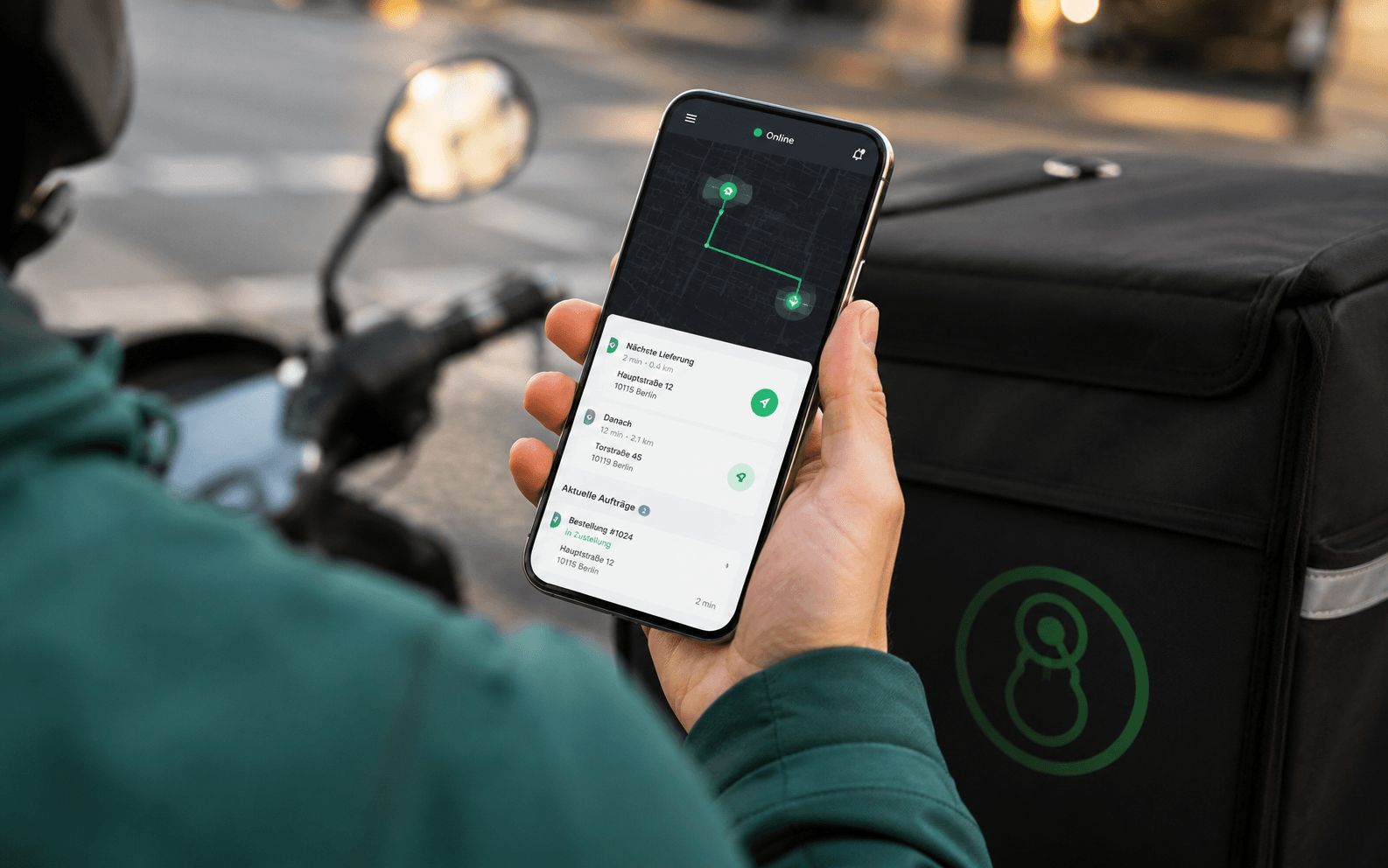
The driver sees the address, the order of stops and the notes on their own phone
The status goes back to the till and to the guest — with no phone call
At the end of the shift you see what each driver delivered and collected

Features

What drivers and dispatch really need.
Runs instead of single trips
Several orders going the same way can be bundled into one run. The system suggests the order of the stops.
Address and navigation
One tap opens the address in the navigation app on the driver's phone. Nothing to type in, nothing to misread.
Status back to everyone
Picked up, on the way, delivered. The till, the kitchen and the phone staff see the same status. Nobody has to call.
Cash settled cleanly
Cash taken is tracked for each driver. At the end of the shift you see the amount that belongs back in the till.
All channels in one list
Orders from your Online Shop, your app, the phone and connected delivery platforms land in the same driver list.
Delivery numbers
Trips per shift, time per delivery and workload per driver — the basis for your delivery area and your shift planning.

Your own drivers or platform drivers

Both have their place. The difference is control and cost.
Delivery through a delivery platform
Commission on every order, whatever your margin is
You cannot choose who stands at your guest's door
Complaints come to you, but the delivery was not yours
The guest stays the platform's guest
Delivery with your own drivers
No commission — you pay your drivers, not a platform
Your team, your face at the door, your level of service
You see every run while it is running and can step in
The guest stays your guest, with all the data

How a run works

From the finished order to the cash count.
STEP 01
Assign
What is ready in the kitchen is assigned to a driver — one order on its own, or as a run with several stops in a sensible order.
STEP 02
Drive
The driver opens the address in the navigation app, sees the notes for the guest, and reports pick-up and arrival with one tap.
STEP 03
Settle up
At the end of the shift you see, for each driver, which orders they delivered and how much cash they have to hand in.

What you need

Usually the phone your drivers already carry is enough.
One smartphone per driver
The Driver App runs on Android and iOS. Your drivers' own phones are enough — a company phone is possible, but not needed.
Required
POS
The orders you deliver come from the till — no matter which channel they came in through.
Required
Kitchen Display
So the order is assigned at the right moment: the driver is called when the kitchen reports it is ready, not before.
Recommended
See all prices →

Price & packages

You pay per driver licence, with price steps up to ten drivers. Above that we make you an individual offer.
Driver App
24,99 €
/month
Driver App
24,99 €
/month
POS Portale Basis
POS / SOT
Delivery Basis
Delivery Profi
Delivery All In
POS Portale Basis
POS / SOT
Delivery Basis
Delivery Profi
Delivery All in
It is not part of the packages by default, but you can add it to your own custom package.
Common questions

Questions about the Driver App

What people almost always ask us first about this product.
Your question is not here? Talk to us →
How is it billed — per driver or a flat rate?
Per driver licence, with price steps. The steps go up to ten drivers. Above that we work out the price with you. Several part-time drivers can share one account, but then the cash count at the end of the shift is no longer usable.
Do my drivers need a company phone?
No. The app runs on your drivers' own Android and iOS phones. You can hand out company phones if you want — nothing changes in the app.
How does the cash count work?
Cash is recorded for each order and added to that driver's total. At the end of the shift you see, per driver, the sum that belongs back in the till and the orders behind it.
Can the guest see where the driver is?
[TO BE CONFIRMED] — whether we offer a live map for guests or only status messages ("on the way", "delivered") has to be clarified before this page goes live. For delivery businesses this difference is often a deciding factor.
Can I set a delivery area?
Yes. By postcode or by a radius around your business. Each area can have its own minimum order value and its own delivery fee. Orders from outside the area are not accepted at all.
Can I use my own drivers and a delivery platform at the same time?
Yes, and in practice it often makes sense: your own drivers in the core area, the platform for quiet hours and outer districts. Both order channels come together in the same till.

Goes well with this

Products that connect directly to this one.
Online Shop
Your own delivery orders without commission, straight into the till.
Kitchen Display
Orders shown digitally in the kitchen, sorted by course.
Delivery Platforms
Lieferando, Wolt and Uber Eats in the same driver list.
Common questions

Before you ask

Yes — the Orderiom POS works with a certified TSE and is GoBD-compliant, including the export formats a tax audit asks for.

How long does setup take?

Usually a few days from the first call to going live — we do the setup for you.

Do I have to replace the till I already have?

No. You can start with the Orderiom POS, or simply add to the till you already have.

Do I pay commission on orders?

No — 0% commission to third parties, in every package, whatever the ordering channel.

What if I have several locations?

Multi-site management gives you one dashboard across every location — part of the chain package.

Can I start small and add to it later?

Yes — modules can be added one at a time, with no forced package change.

Request a free consultation

We look at how your business actually runs and tell you which parts make sense — even when that turns out to be fewer than you expected.
Check - Elements Webflow Library - BRIX Templates

Thank you!

Oops! Something went wrong.
Prefer to talk to someone?
Call us or book a time
Mon – Fri   8:00 – 18:00