


Call us directly
Mon – Fri   8:00 – 18:00
Call either number — we will pass you on internally.
Request a call back instead
After the Order

Kitchen Display — orders on a screen, not on paper

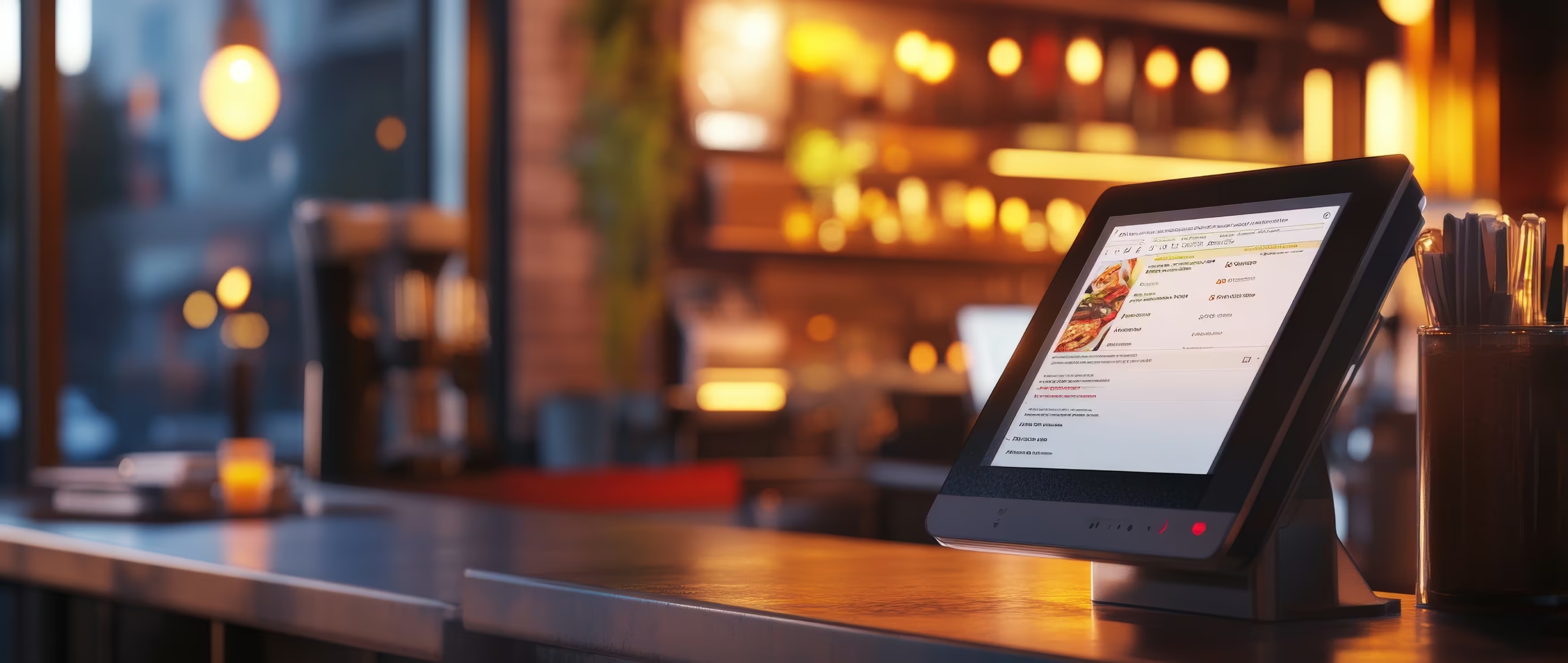
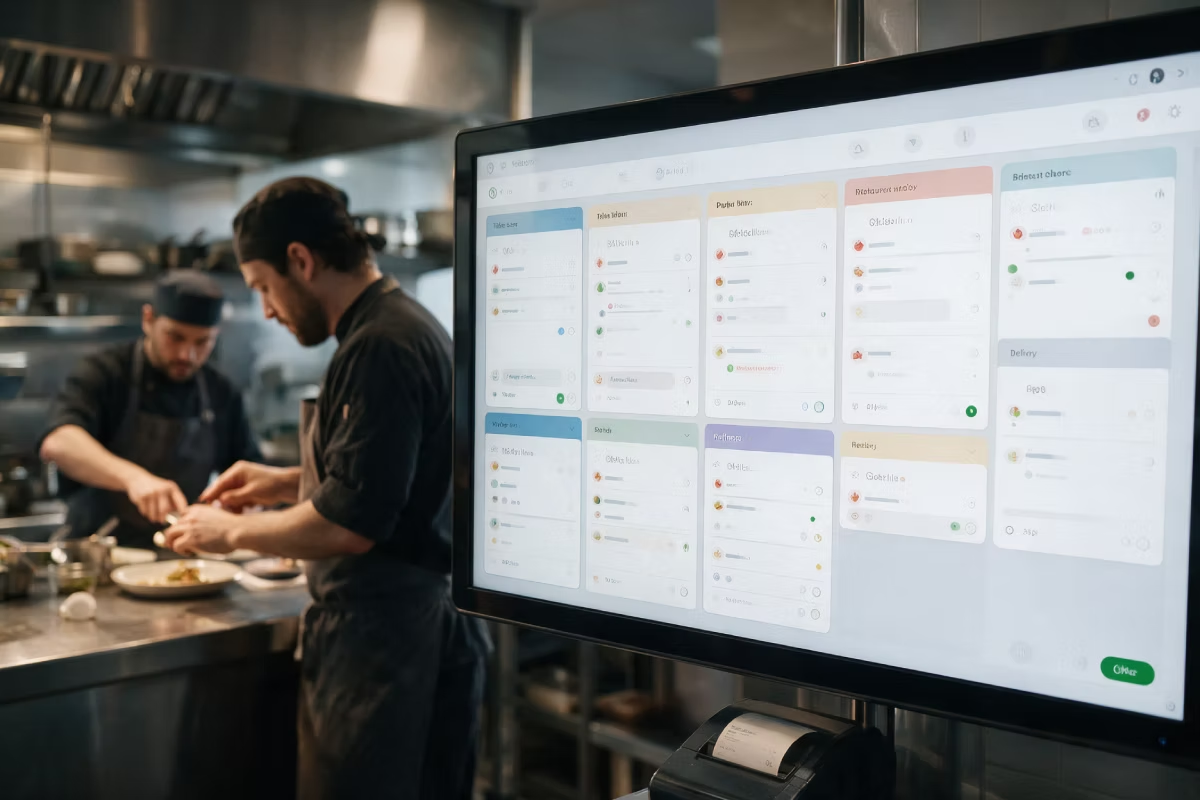
All orders on one screen: table, pickup, Online Shop and delivery platforms. Sorted by time, with special requests in plain text.

All channels on one screen
Sorted by pickup time
Runs on a screen you already have

The paper slip is the problem, not the kitchen

Order tickets from table, pickup, Online Shop and delivery platforms all land on one screen — sorted by time, not by when they arrived. Nothing gets lost. Nothing is made twice. Nobody has to read handwriting.
All order channels on one screen
Sorted by pickup and delivery time, not by arrival
Special requests as text, right on the item
Ready signal goes back to the till and the service staff
Features

What the display has to do during the rush.
Sorted by time
Order tickets line up by pickup and delivery time. What has to go out first is at the top — not what came in first.
All channels in one list
Table, pickup, Online Shop, app and platforms all appear together. Each ticket is marked with its channel.
Special requests in plain text
“No onions, extra sauce” sits right on the item — no guessing, no asking the service staff.
Ready signal back
One tap marks the order as ready. Service staff and the till see it right away.
Several stations
Kitchen, grill and drinks can each have their own screen with their own items.
Prep times you can measure
You see which dish takes how long, and when the kitchen really gets busy.

What changes in the kitchen

An honest comparison with the receipt printer.
With a receipt printer and paper slips
Order tickets in arrival order, not by when they are due
Special requests handwritten or not readable at all
A lost order ticket is only noticed by the guest
No numbers on how long anything really takes
With Kitchen Display
Sorted by time, colour-coded by urgency
Special requests as text on the item
No order ticket can get lost
Prep times per dish and per hour you can review

What you need

Usually a screen you already have is enough.
POS
The till the orders come from — no matter which channel they came in on.
Required
A screen or tablet you already have
The display runs in the browser. In many kitchens a TV with an HDMI stick or a tablet is enough.
Free
Kitchen-proof monitor
Built for heat, grease and steam, with a mount. Best placed right above the pass.
Recommended
See all prices →

Price & packages

Kitchen Display is booked as its own module, per screen.
Kitchen Display
19,00 €
/month
Kitchen Display
19,00 €
/month
POS Portale Basis
POS / SOT
Delivery Basis
Delivery Profi
Delivery All In
POS Portale Basis
POS / SOT
Delivery Basis
Delivery Profi
Delivery All in
It is not part of the packages by default, but you can add it to your own package.
Common questions

Questions about the Kitchen Display

What people almost always ask first about this product.
Your question is not here? Talk to us →
Do I need a special monitor for this?
Not always. The Kitchen Display runs in the browser — a TV you already have with an HDMI stick, or a tablet, is often enough. Right above the pass, where it gets hot and greasy, a kitchen-proof device is worth it.
Can I still keep my receipt printer?
Yes. Many businesses run both at the same time, especially while they switch over. For each station you decide: print, show on screen, or both.
Does it work with several stations?
Yes. Kitchen, grill and drinks can each have their own screen, each one showing only the items that belong to them. Nobody sees order tickets that are not theirs.
What happens if the screen fails?
Orders keep coming into the till. You can see them there or print them. As soon as the display is back, it is up to date again.
Can I see how long something takes?
Yes. Prep times are recorded per dish and per hour. This is usually the first point where a business sees where the rush really gets stuck.

Goes well with this

Products that connect directly to it.
POS
The till the orders come from.
Waiter App
Orders go from the table straight to the kitchen.
Driver App
After the kitchen: your own drivers and routes
Common questions

Before you ask

Yes — the Orderiom POS works with a certified TSE and is GoBD-compliant, including the export formats a tax audit asks for.

How long does setup take?

Usually a few days from the first call to going live — we do the setup for you.

Do I have to replace the till I already have?

No. You can start with the Orderiom POS, or simply add to the till you already have.

Do I pay commission on orders?

No — 0% commission to third parties, in every package, whatever the ordering channel.

What if I have several locations?

Multi-site management gives you one dashboard across every location — part of the chain package.

Can I start small and add to it later?

Yes — modules can be added one at a time, with no forced package change.

Request a free consultation

We look at how your business actually runs and tell you which parts make sense — even when that turns out to be fewer than you expected.
Check - Elements Webflow Library - BRIX Templates

Thank you!

Oops! Something went wrong.
Prefer to talk to someone?
Call us or book a time
Mon – Fri   8:00 – 18:00