
Call us directly
Mon – Fri 8:00 – 18:00
QR, kiosk, online shop or delivery platform: which ordering system fits which business, how commission compares to fixed costs, and what matters when connecting to the till and getting started.
Friday night. The dining room is full, the phone is ringing, there is a queue at the counter, and someone on the floor is looking for a free table and a missing order at the same time. This is exactly when you see if an ordering system for restaurants takes work off your team or just adds one more screen that needs care and checking.
The right solution takes orders in a structured way, sends them to the kitchen and the till without manual re-typing, and lets guests pay in the way that suits them. But it does not automatically replace the printed menu, advice from your team or personal hospitality. So in Germany, the longest feature list does not decide. What decides is a hybrid way of working that serves digital and non-digital guests equally.
On a busy evening, one small bottleneck is enough. A waiter takes an order, gets held up at the bar and forgets a change. The kitchen works from a handwritten note, the till needs to ask again later, and the guest waits for the bill. A digital system can pass on the order directly in a structured way and allow payment at the table or through your own online shop.
In Germany, the digital ordering channel is no longer something special. During the Covid period, the share of people who ordered ready-made food online grew from 40 % before the pandemic to 53 % in June 2020. The direct channel also became more important: at that time, 17 % ordered on the website of a restaurant near them, compared to 11 % before the pandemic. This trend is described in the history of digital orders in German restaurants.
An ordering system should solve three real problems:
Still, keep your expectations realistic. A QR code does not make a slow kitchen faster. An online shop does not replace a clear pickup area. And a kiosk does not help much if your team does not know how to take orders by hand when something breaks.
Rule from practice: Digitise the bottleneck first, not your whole business at once.
The demand for digital processes is there. A representative METRO/DISH survey shows that 70 % of people use digital platforms to find restaurants and 50 % have already booked a table online. For guests who eat out every week, online booking is at 71 %. For payment, 55 % prefer contactless methods. For people under 45, it is 73 %. The data is summarised in the overview of restaurant digitalisation in Germany.
This supports connected processes for reservations, orders and payment. It does not support getting rid of service altogether. So the best comparison starts with one question: Which orders should be digital, and where does the guest still need a person?
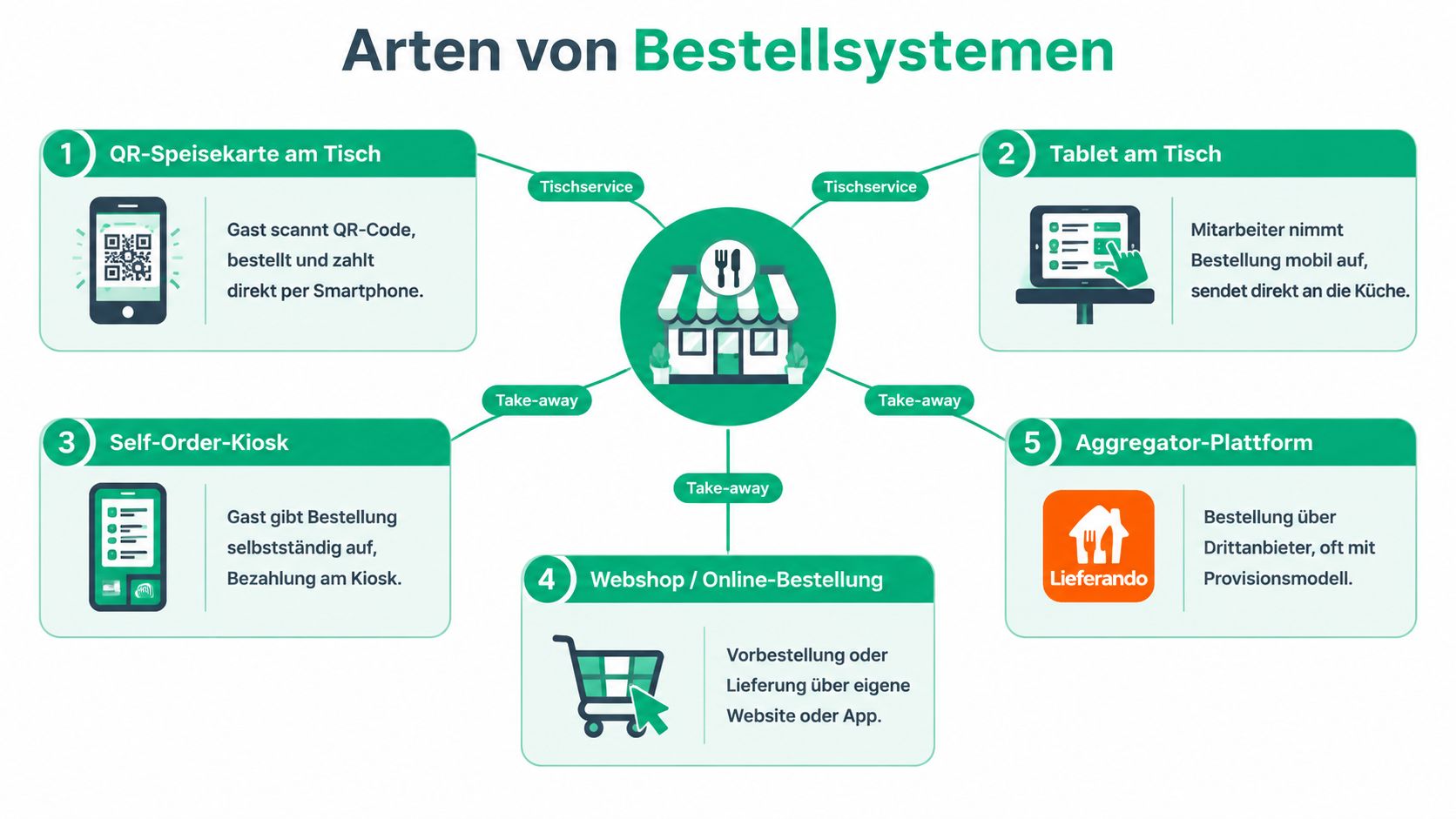
An ordering system is not one single product. It is several channels working together. The QR code on the table, the waiter's tablet, the kiosk at the counter and the online shop for pickup can all use the same menu. What matters is whether all the data ends up in one shared order and till workflow.
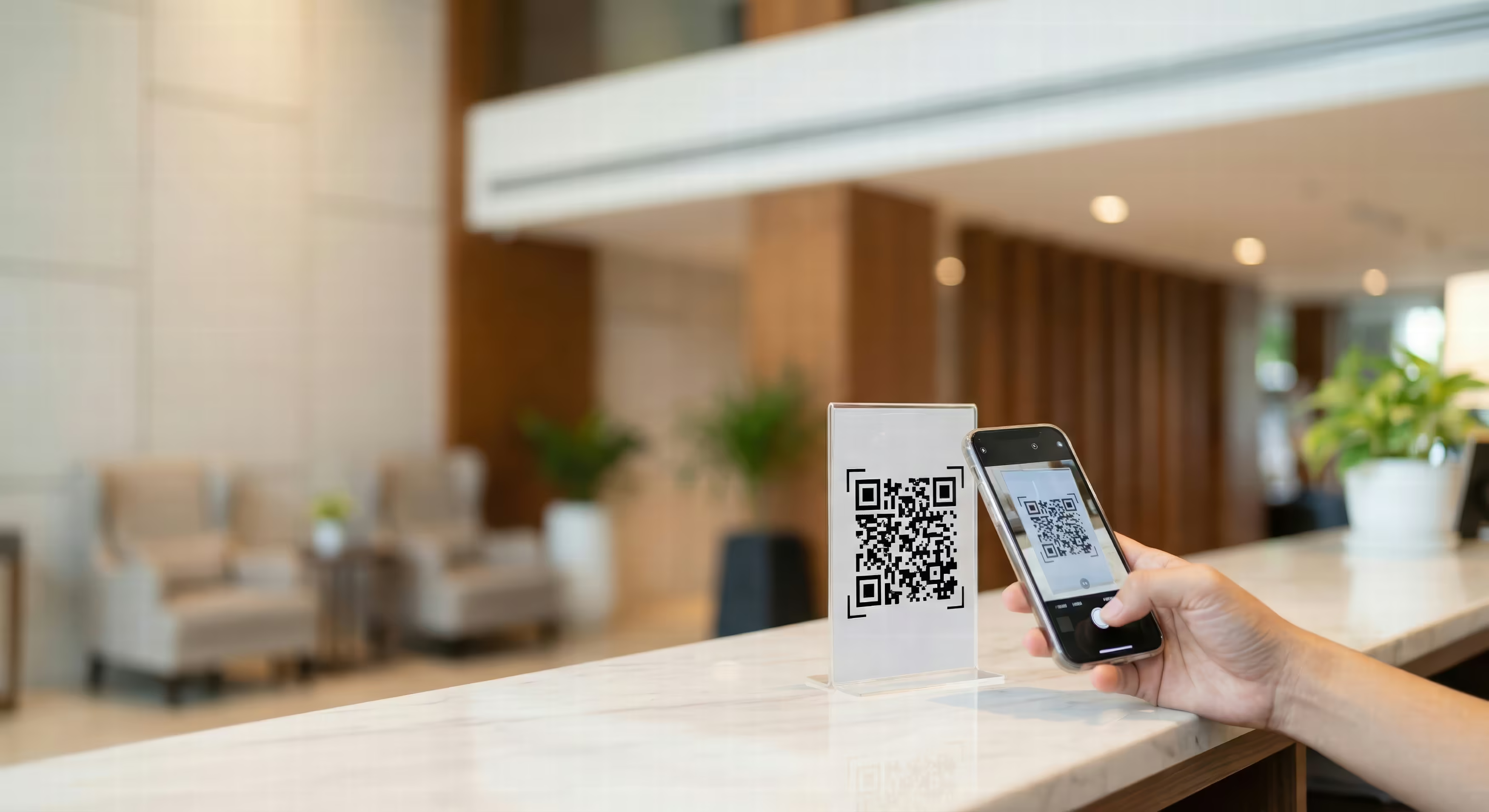
A QR menu at the table works for guests who want to order with their own smartphone. The code can just open the menu, or it can cover the whole process up to payment. A solution like a digital menu for restaurants should manage table numbers, options, allergens and sold-out items properly.
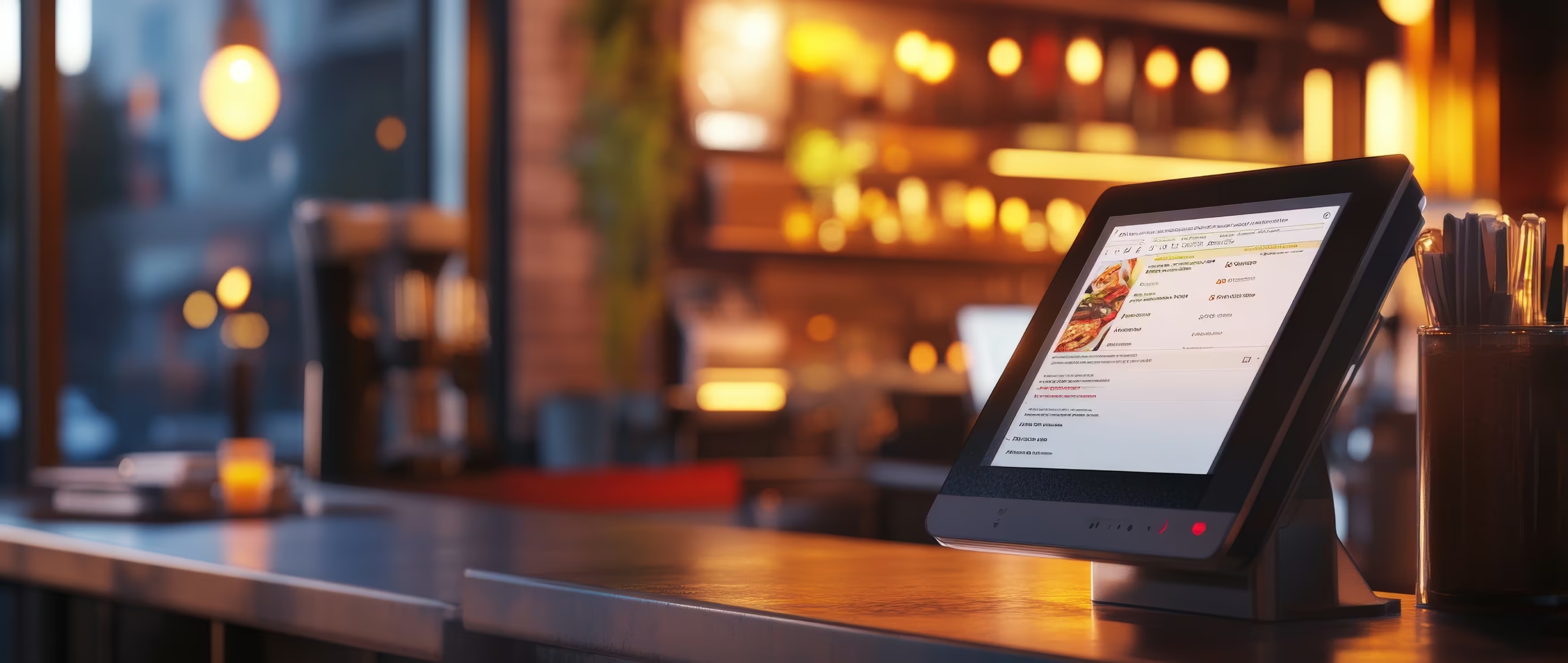
A tablet at the table is the more controlled option. The waiter takes the order on a mobile device, can give advice and sends it on directly. This suits businesses that want digital speed but do not want to remove personal contact.
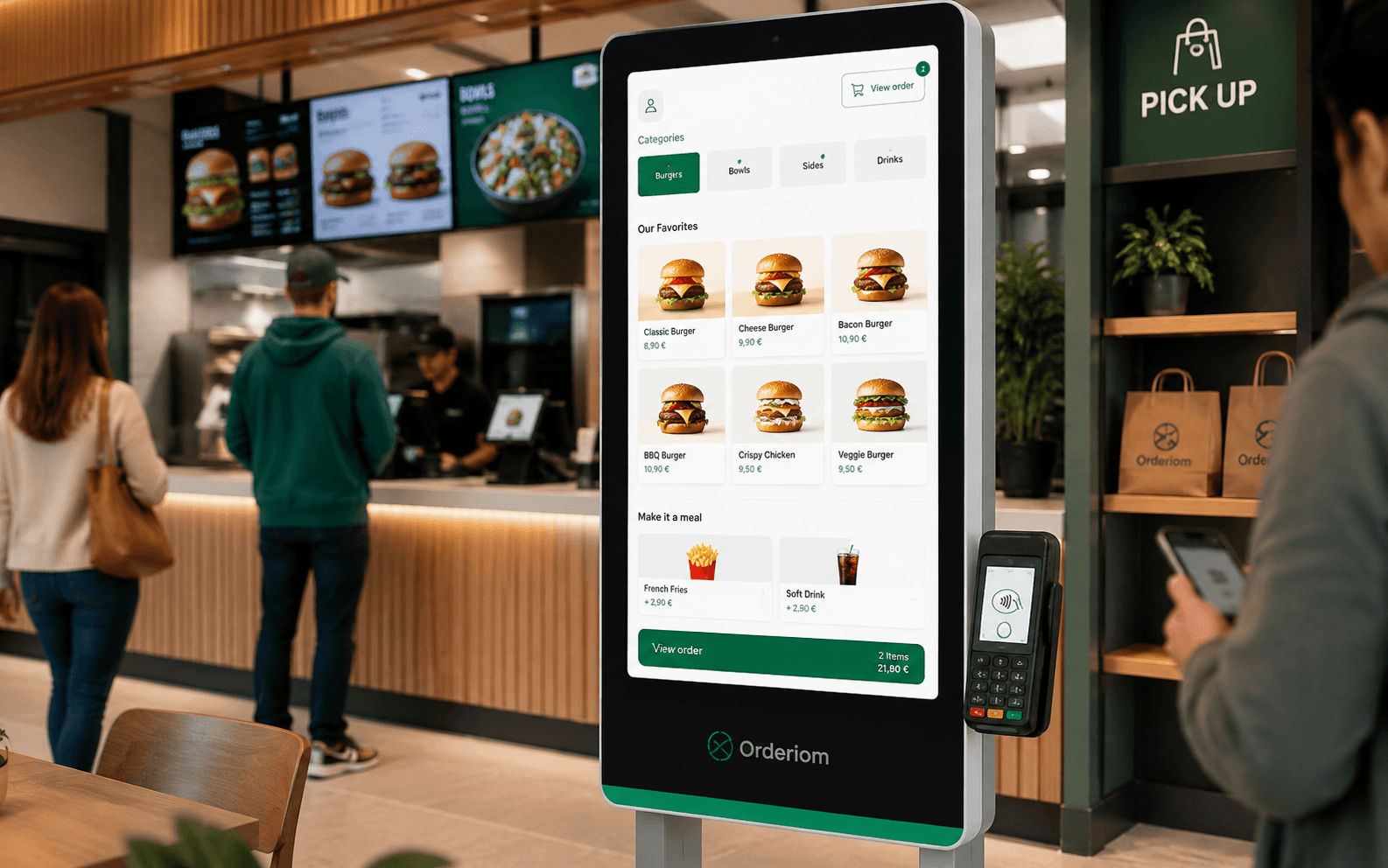
A self-order kiosk moves ordering to a terminal. Guests choose for themselves, pay at the device and pick up their order at the right spot. This is especially useful if queues often form at the counter and your menu is clearly structured.
An online shop for pickup and delivery opens your business to orders from outside the dining room. The guest orders through the website or a web app, chooses pickup or delivery and gets the key information digitally. For this, you need reliable time slots, an up-to-date menu and a clear handover point.
Your own app and website make your direct channel stronger. The website is easy to use, because nothing needs to be installed. An app can make sense for regular guests who order often and want permanent access to your menu.
In the background, you need one central management system. This is where you manage prices, options, availability and menu texts. Reports help you see demand by channel and time period. The till connection means staff do not have to enter the same order again.
So the right type of system does not depend on the device. It depends on your business model. A QR code is a way in. A kiosk is a service point. An online shop is your own sales channel. Only central processing turns them into a reliable ordering system.
When comparing, it does not matter if a provider promises “self-ordering”. What matters is how the process feels in a busy shift. The guest must find what they want quickly. Your team must be able to handle changes and special cases. The kitchen must not miss an order from a second system.
The best screen is worthless if the order does not reliably reach the kitchen and the till.
A system with many payment methods can work worse in daily life than a simpler one, if staff have to copy orders, update items twice or enter cancellations by hand. So before you sign a contract, test a complete process: an order with an option, a special request, a discount, payment, cancellation and refund.
The quality of the menu also matters. A digital menu must be easy to read, easy to use on a phone and, if needed, available in several languages. At the same time, you need a printed menu as an alternative. Data from a German survey shows a clear gap in acceptance: 43,51 % use QR codes when no physical menu is available, but only 9,98 % rate QR menus very positively. 85,73 % in casual dining and 90,42 % in fine dining still prefer printed menus. The results are documented in the Lightspeed study on QR code menus.
For businesses with long queues at the counter, a self-ordering kiosk can be the better investment. For a restaurant where advice matters, a tablet for the waiter is often more sensible than forcing everyone to use QR.
The monthly software fee is only part of the bill. What matters is how much of each order goes to a middleman, what payment fees you pay and how much extra time your team spends because the systems are not connected.
Aggregators usually charge costs based on commission. Your own online shop, on the other hand, works with a fixed software cost and payment fees – as long as the provider does not take a commission on sales. How profitable it really is depends on the ordering channel, the average order value, the delivery model and the marketing you need.
Instead of only looking at the monthly fee, split the costs into four parts:
A simple scenario shows the difference. With only a few direct orders, a commission-free channel cannot pay back its setup costs right away. As direct orders grow, the fixed cost model becomes more attractive, because you do not give part of every order to a middleman. On the other hand, an aggregator can still make sense despite the commission, if it reaches new guests who do not yet know your own channel.
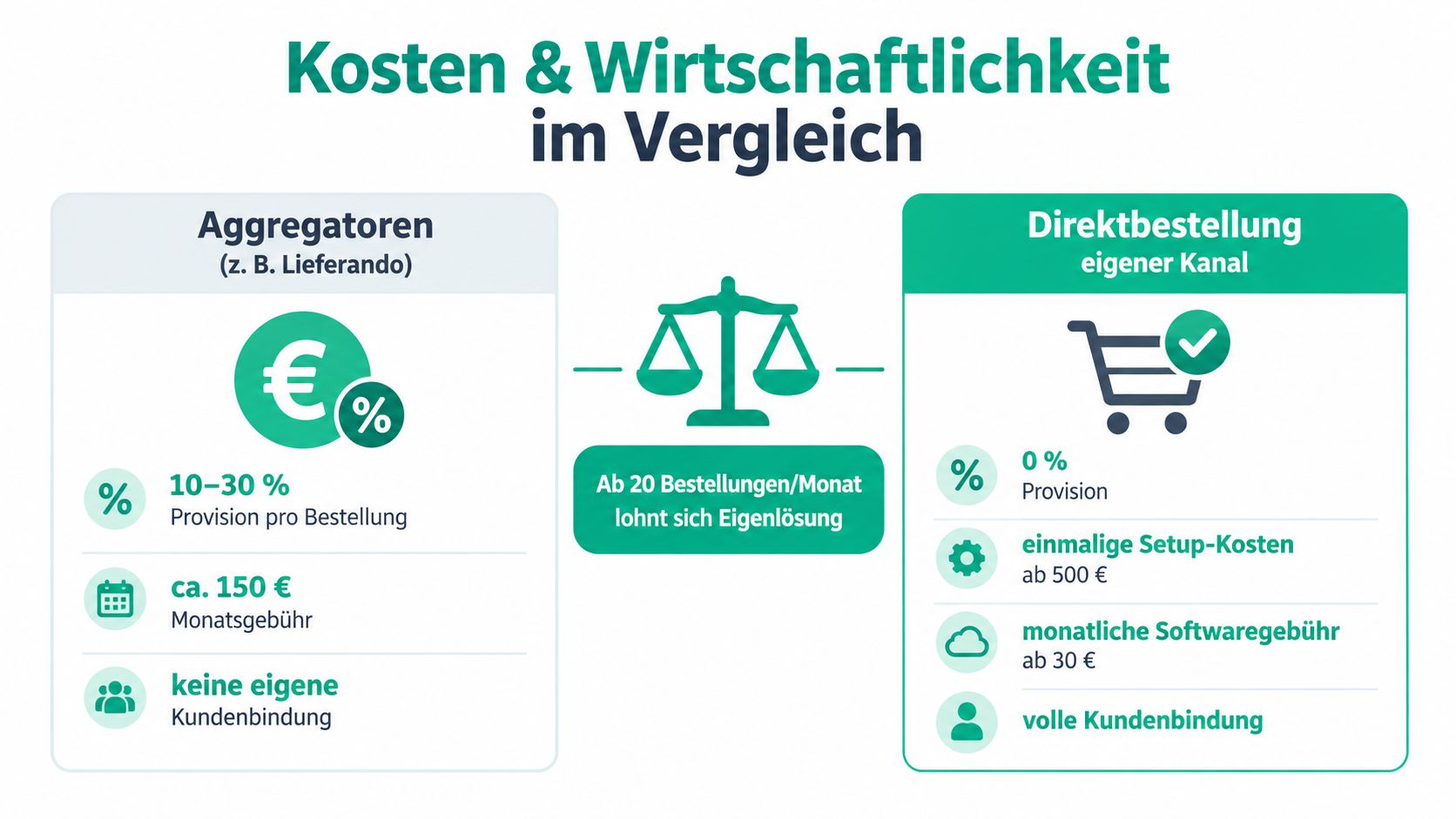
An example shows the size of the numbers: a snack bar with 200 orders per week, 30 % platform commission and an average order of 15 € pays about 900 € in commission per week. That is not a small item. It eats your profit margin.
This is exactly why looking only at reach is not enough.
The mistake is to see commission only as a cost and your own channel only as free. An aggregator brings reach, handles part of the technical side and can bring extra demand. Your own channel, on the other hand, needs visibility, up-to-date content and a clear call to order directly – on your website, packaging, social media and in the dining room.
Always calculate per channel, not only per provider. A third-party platform can be useful to win new customers, while repeat orders through your own online shop protect your margin.
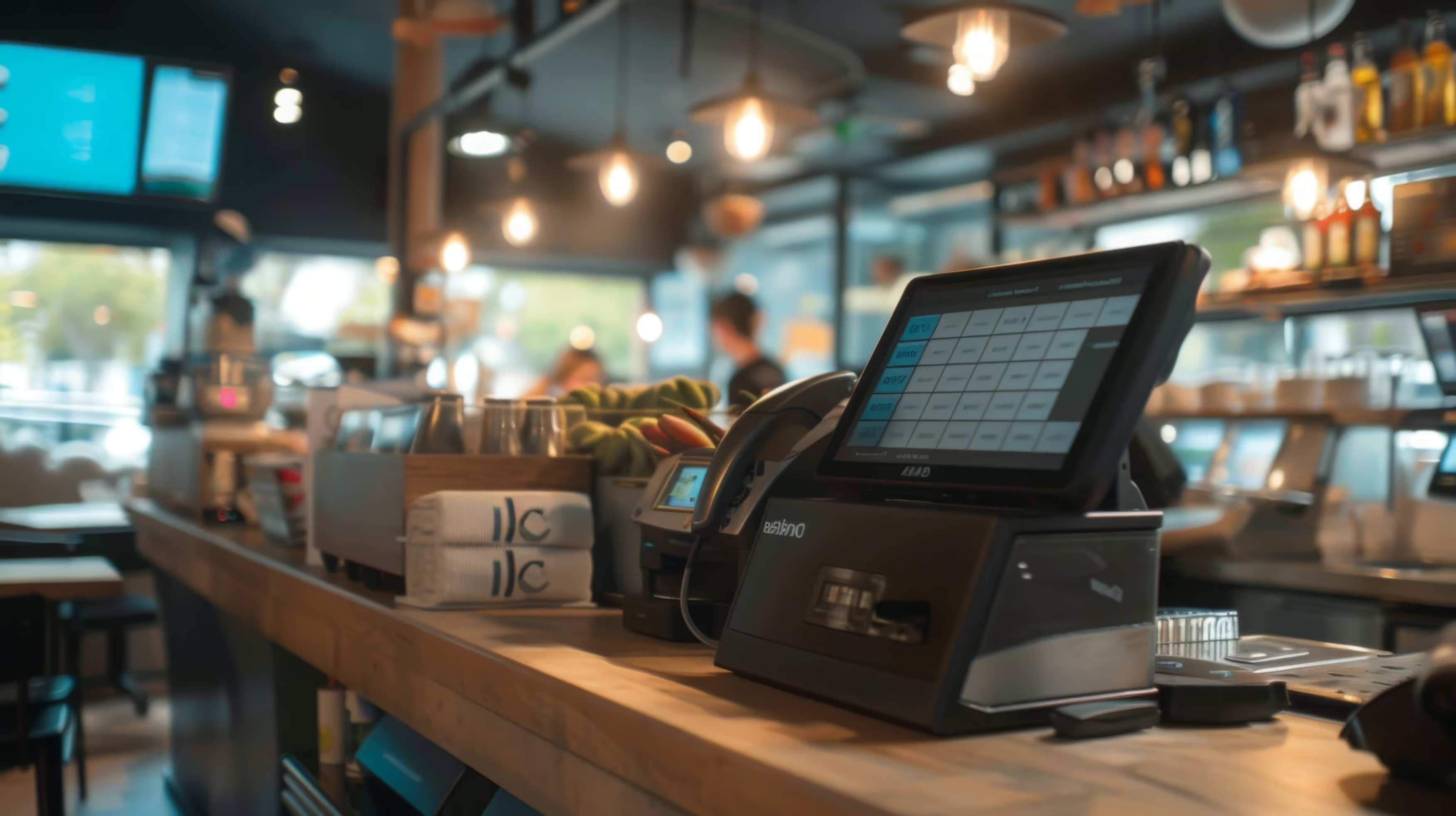
Hardware like a SunMi V2 Pro, printers, network parts or kiosk systems belongs in a separate investment calculation. Just as important: does your existing till have a real interface? If staff have to copy orders from the online shop by hand, you get hidden staff costs that many offers do not show.
So do not judge only the price. Judge the profit margin per channel. Subtract software, payment processing, commission, packaging, delivery and extra work. Only then can you see which order really pays off.
The right solution depends more on your service concept than on the size of your business. A fine-dining restaurant needs different digital touchpoints than a food truck with few items and a fast pace.

Here I recommend hybrid instead of full automation. A printed menu stays available, while QR ordering is used for repeat orders, simple drink orders and direct payment. Your team should still give advice, take special requests and help guests who do not want to order digitally.
In a fine-dining restaurant, a tablet for the waiter can be the better fit. The waiter keeps the contact but sends the order in a structured way to the kitchen and till. Forcing QR here would not just be out of place – it can damage the brand experience.
With many guests at the counter, a kiosk is often the clearest solution. Guests choose products themselves, see the options and pay at the terminal. Your team focuses on serving, preparing food and special cases, instead of taking every order by voice.
For cafés with a lot of seating, QR ordering can work as an extra. For bakeries with pre-orders, an online shop makes sense if customers can reserve products and pick them up at an agreed time.
Here, your own online shop should come first. Pickup times, delivery areas, availability and payment status must be managed centrally. An aggregator can stay as an extra channel to win new guests, but it should not be your only way to reach them.
A food truck benefits from pre-orders when demand comes in short time windows. The digital menu must stay simple. Too many options slow down ordering and make production harder.
Several locations need central menu management, local availability and standard reports. The till must be correctly assigned to each location, while the website, app and online shop give one consistent brand experience.
For chains, scalability matters more than any single special feature. A system that works well in one location must be able to add new branches without completely new processes. So start with a controlled pilot and set clear rules for support, data updates and responsibilities.
Switching systems rarely fails because of the software alone. It fails because of unclear responsibilities, unchecked items, no backup processes and a team that only learns how to cancel an order during a busy evening.
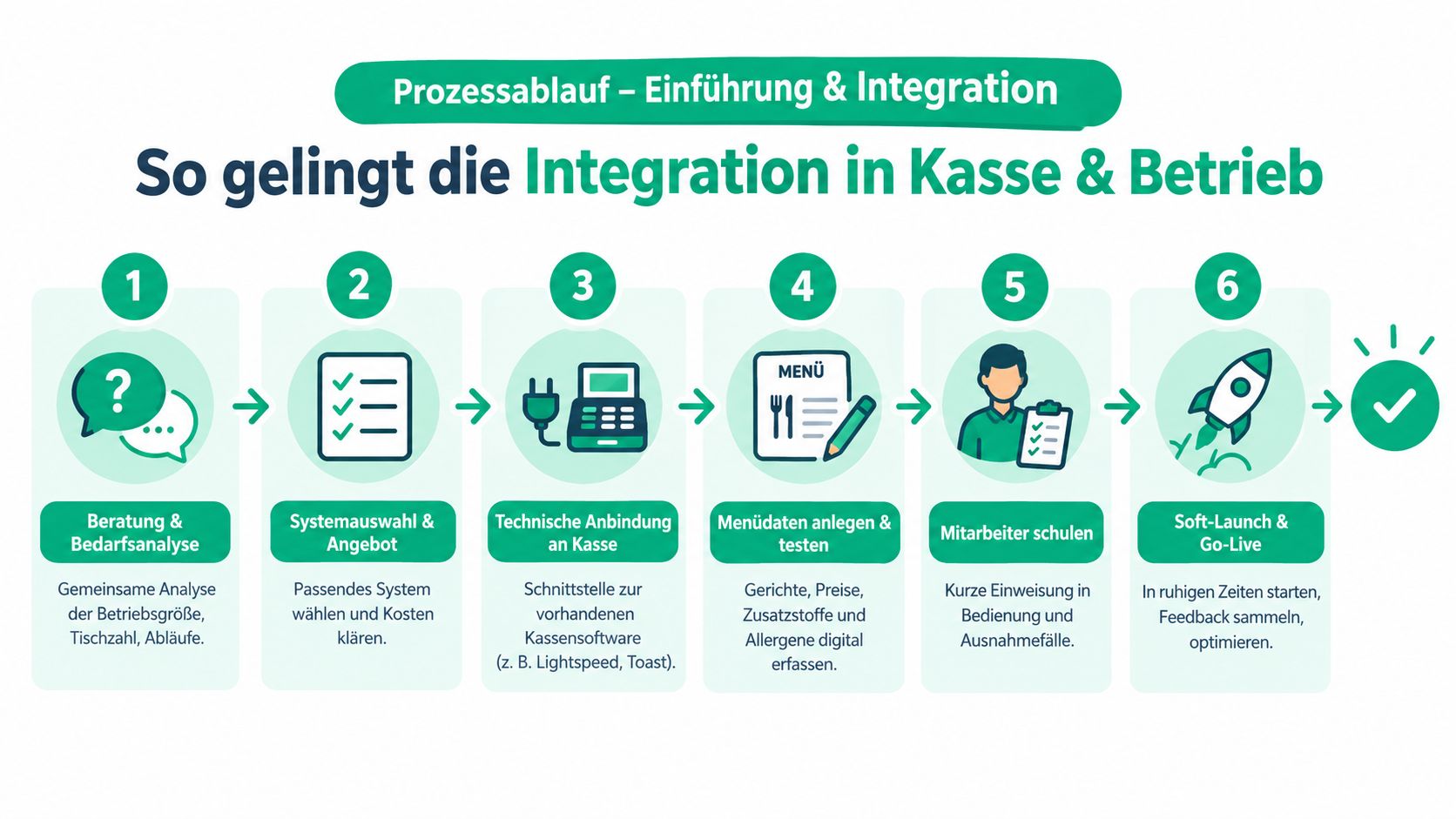
1. Check your needs and your till. First, list your current channels. Where do orders come in today, who confirms them, and where are orders entered twice? POS system advice for restaurants should look at these processes before you choose a product.
2. Choose your target channel. Decide if you start with QR ordering, tablet, kiosk, online shop or a mix. Start with the process that removes your biggest bottleneck.
3. Clean up your menu data. Check prices, options, additives, allergens, images and availability before the import. A digital mistake does not appear just once. It can show up on several channels at the same time.
4. Test the interface. Send test orders with special requests, changes and cancellations. Check that the kitchen, bar, till and payment status all show the same information.
5. Train your team. Training does not have to be long, but it must cover special cases: wrong table, sold-out item, cancelled payment, refund and network failure.
6. Do a soft launch. Start during a quieter time with a few tables or a limited pickup window. Collect feedback and adjust the menu layout, signs and responsibilities.
Printed menus must be easy to find. Staff need one short sentence to explain QR ordering without pushing guests. For people with poor eyesight, little digital experience or no smartphone, there must be a direct alternative.
Data protection must not be added later. Check payment providers, consents, user roles and how contact data is processed. Review management, your Google Business Profile, website and order button also belong in the launch, because a good channel only works if guests can find it.
My advice is clear: Choose your direct channel first, add the right tools for on-site service, and let third-party platforms work only where they bring new demand. For pickup and delivery, your own online shop is usually the strategic base. An app is worth it mainly if you get regular orders and have many loyal customers.
For restaurants with table service, a hybrid QR model makes sense, as long as printed menus and personal service stay. For cafés, bakeries and snack bars with queues at the counter, a kiosk or tablet is the better choice. Multiple locations need central data management, reliable till interfaces and clear roles for support and menu management.
Your shortlist should include these points:
Orderiom from Berlin offers a package with app, website and online shop, plus QR ordering, a tablet option, a self-order kiosk, online payments and connection to common POS systems. The offer also includes personal support, a three-step onboarding and a 30-day trial period. This makes it an option you can test if you want to try direct orders and on-site processes in one system.
If you want to judge your ordering system not only by the monthly fee, but by commission, till handover and service effort, take a look at Orderiom. Test your own menu, your till and your preferred ordering channel in a trial before you roll it out for the whole shift.
Yes — the Orderiom POS works with a certified TSE and is GoBD-compliant, including the export formats a tax audit asks for.
Usually a few days from the first call to going live — we do the setup for you.
No. You can start with the Orderiom POS, or simply add to the till you already have.
No — 0% commission to third parties, in every package, whatever the ordering channel.
Multi-site management gives you one dashboard across every location — part of the chain package.
Yes — modules can be added one at a time, with no forced package change.